Using Bifrost Scatters in Unreal
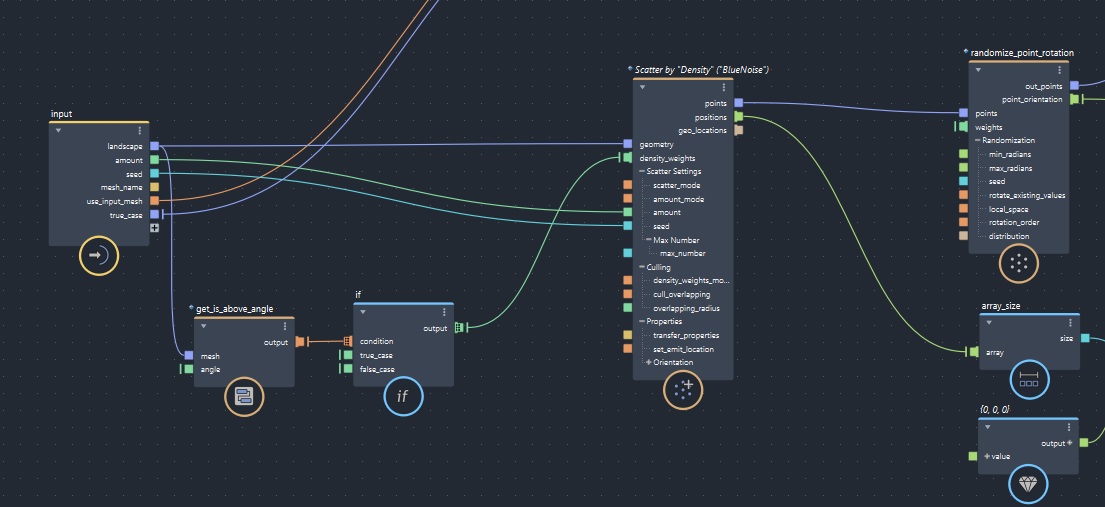
Using Bifrost Scatters for foliage in Unreal
Published on November 19, 2025 by Simsaladoo
sample post test
5 min READ
Seasons’ greetings!
So I’ve been experimenting a lot with Bifrost in Maya lately and came up with some interesting things I’d like to share concerning scattering foliage. Typically I think most game companies do this sort of thing in Houdini, but since that’s a separate package with extra licensing, etc and may/may not be within a budget there’s another option. Bifrost is a Maya plugin that comes free within the DCC that is a node-based effects creator. It does Fluids and particles, as well as cloth and crowd stuff but what I’ve been experimenting with lately is using it for instanced foliage scattering.
Now Unreal 5+ does have its own procedural content generation if you’re building for Directx 12, but it’s still experimental and a bit performance heavy for game usage if youre not a large team and does take quite a bit of time to figure out. That being said, I do still think Houdini has the most robust tools for doing this kind of thing if you are familiar with their tools. However for those only familiar with Maya the Bifrost route can be pretty nice.
Maya Bifrost Scattering
So what I’ve been doing with Bifrost lately is making scattering compounds and then importing their results into Unreal Engine as hierarchical instanced static meshes (HISMs). You can create these instances in Maya with either plain points or using referenced game assets to populate the scene as a full preview, but the basic goal is essentially just populating a transform array. These get exported out to a csv that lists all the translations, rotation and scale for each type of asset, and can then be read from within Unreal just using some simple python scripting to populate the meshes in-editor.
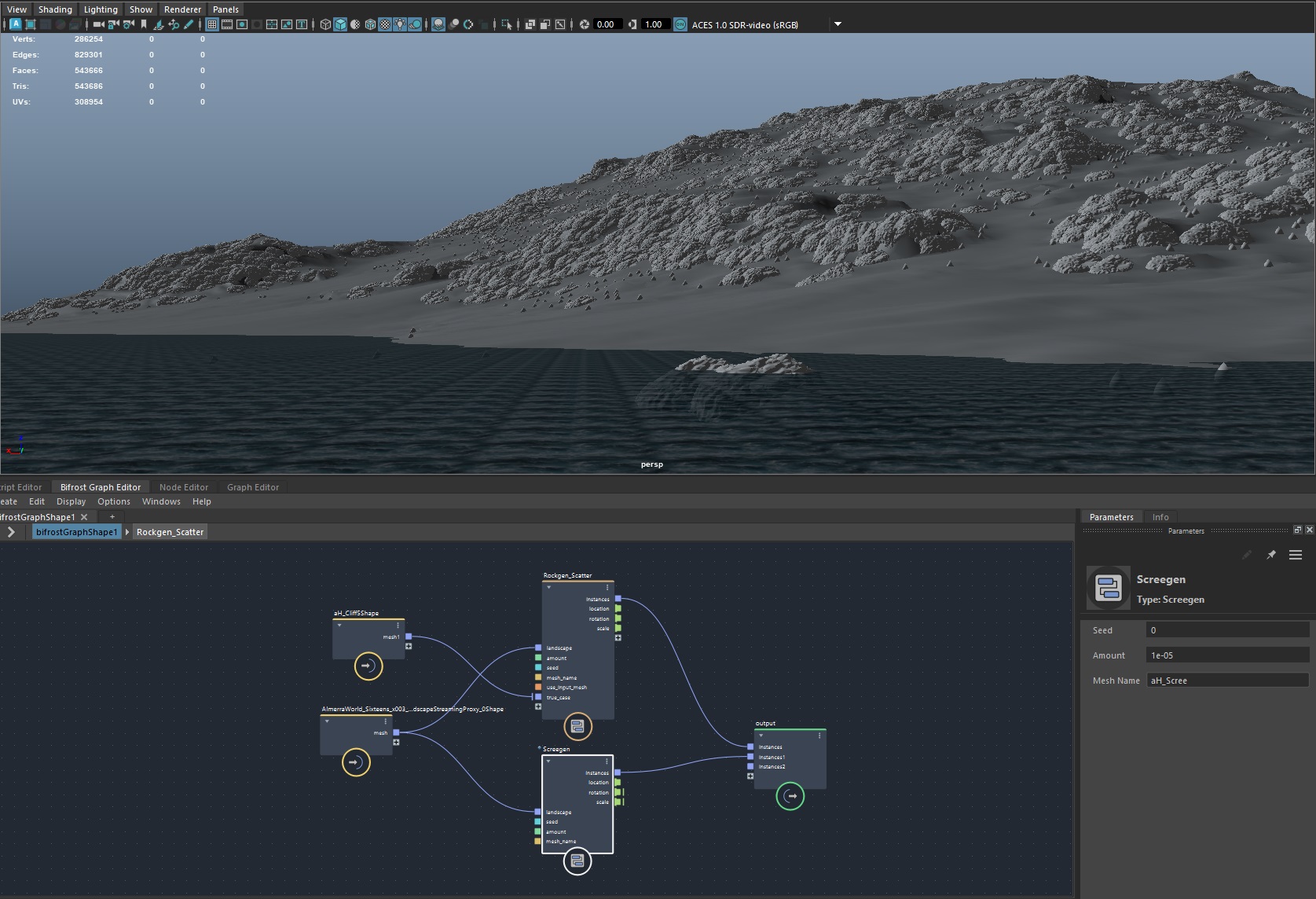
The compound just needs to use the basic Bifrost Scatter node to generate the initial points. Below I set the noise type to ‘BlueNoise’ and then set a base normal angle to mask out terrain features. The points and positions can then be operated on to produce rotations and scale for when we import into Unreal.
Bifrost Compounds
With the scattering part setup, you can then collapse the whole setup into its own compound (similar to a Blueprint function). I included a ‘mesh’ input to allow for plugging in geometry (static meshes in my case) within Maya to populate the scattered points instead of basic shapes for a nicer preview. With the compound, you can make as many copies of it as you have mesh variations. So for a tall tree mesh you can have different settings than a shorter tree mesh, and so on.
Here I made one for Kelp, which will scatter points within a certain range of height below the ocean line, and above where the light doesn’t penetrate and doesn’t allow for growth. Once you have the node scattering where you want it, it will need to output the location, rotation and scale arrays so that they can be read from within the node editor. The node editor is where you can begin to script the export of the data for use in Unreal. The ‘instances’ output here is just for showing the results in Maya, which don’t need any export.

Exporting from Maya Node Editor
With the outputs setup and passed through, the node editor will then have all the arrays you can read from. Expanding the Location here would show all the positions of every point we’ve scattered. Now we can simply write a script to find all of these nodes and get their ports.
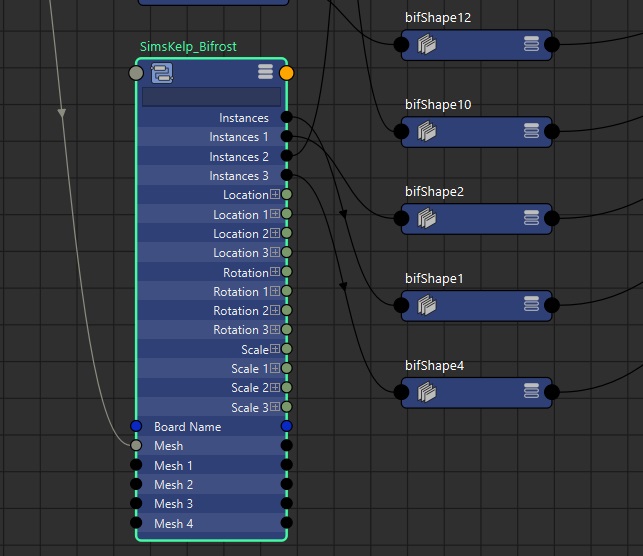
Scripting the csv export is probably the most tedious part if you have multiple static meshes, like Kelp 1, 2 and 3. This is only because Maya’s naming will always be adding integers to the node name as a suffix when you create them. The first node you add probably won’t have an integer (like Location above), but the second one will add a ‘1’, and then increment–so sometimes the ‘index’ below will just return: “”. The ‘node’ is also necessary for finding the specific Bifrost graph should you have multiple in one Maya scene.
attribute_count = cmds.getAttr(f'{node}.location{index}', size=True)
for attribute in range(attribute_count):
	location = cmds.getAttr(f"{node}.location{index}{[attribute]}")
	rotation = cmds.getAttr(f"{node}.rotation{index}{[attribute]}")
	scale = cmds.getAttr(f"{node}.scale{index}{[attribute]}")
	row = location+rotation+scale
	writer.writerow(row)
Bringing it into Unreal
Either within a vanilla Blueprint struct, or in C++ you can then create a struct to read from the csv. There’s nothing special about it, just a way of reading each row as a instance:
USTRUCT(BlueprintType)
struct FFoliageStruct : public FTableRowBase
{
    GENERATED_BODY()

    UPROPERTY(EditAnywhere, BlueprintReadWrite, Category = "Foliage")
    FVector Location = {0.f, 0.f, 0.f};

    UPROPERTY(EditAnywhere, BlueprintReadWrite, Category = "Sims Foliage")
    FVector Rotation = { 0.f, 0.f, 0.f };

    UPROPERTY(EditAnywhere, BlueprintReadWrite, Category = "Sims Foliage")
    FVector Scale = { 1.f, 1.f, 1.f };
};
The Foliage Actor class we add to the level is also super straightforward, just needs a HISM component we can add the rows to, and target a static mesh set:
ABifrostFoliage::ABifrostFoliage()
{
	FoliageInstance = CreateDefaultSubobject<UHierarchicalInstancedStaticMeshComponent>(TEXT("FoliageInstance"));
	RootComponent = FoliageInstance;
}
The import can then be setup in python to grab the csv, read its locations, rotations and scales and pass them into the level’s foliage instance. It can take some fiddling to get the data types correct, but once you have one of the columns working the others are easy. I made a simple function to read this data and return all 3 elements:
def read_from_csv(file_path):
    locations = []
    rotations = []
    scales = []
    with open(file_path, mode='r') as csvfile:
        reader = csv.DictReader(csvfile)
        for row in reader:
            locations.append(eval(row['location']))
            rotations.append(eval(row['rotation']))
            scales.append(eval(row['scale']))
    return locations, rotations, scales
From there it’s just a matter of finding the actor in the level, casting to it, converting the radians to degrees and then adding all the instances!
locations, rotations, scales = read_from_csv(csv_path)
instance_component = foliage_actor_ref.get_component_by_class(unreal.HierarchicalInstancedStaticMeshComponent)
instance = unreal.HierarchicalInstancedStaticMeshComponent.cast(instance_component)
for x in range(len(locations)):
	transform = unreal.Transform(locations[x], get_radian_in_degrees(rotations[x]), scales[x])
	instance.add_instance(transform)
unreal.EditorLevelLibrary.save_current_level()